v1.3.0Rust · one binary · local-onlyWhat's new
The control room for Claude Code
Every session and every project on one terminal screen. See what a waiting session is asking, resume or search any conversation, review a branch in its own worktree, sign in to MCP servers and see where your limits went.
brew install jguajardo/tap/claudash
macOS and Linux. Then run claudash.
- 1Rust binary
- 0accounts
- 0network requests of its own
- y/nasks before it changes anything
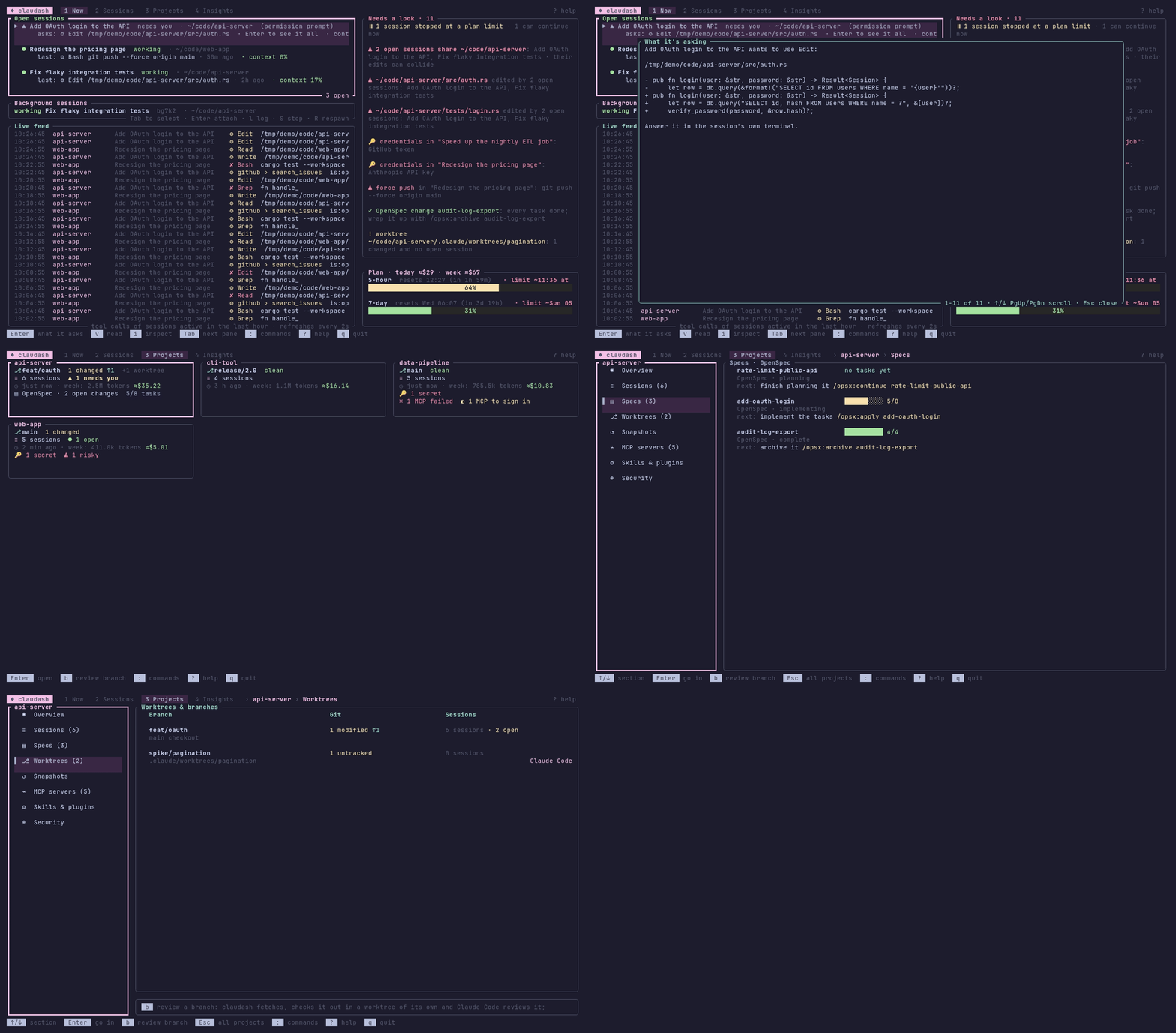
Three terminals, a background session, four repositories
One session has been waiting on a permission prompt for twenty minutes. A branch is waiting for a review. An MCP server needs you to sign in again, so the session that uses it is working without it. A change is five tasks into eight and you don't remember the command for the next one.
claudash shows all of that on one screen, and acts on it from there.
- Add OAuth login to the APIneeds you · 20 minapi-serverEnterwhat it asks
- feat/checkoutto reviewweb-appbreview it
- MCP server linearneeds sign-inapi-serverasign in
- add-oauth-login5 of 8 tasksapi-serverEnterrun the next step
An illustration with made-up data: those four things, and the key that deals with each.
1Now
What needs you, and what it wants
- Every open session, interactive or background, the waiting ones first, with the exact command or edit each one is asking to run.
- A desktop notification when a session starts waiting. Attach to, stop or respawn the background ones.
- Several at once, like terminal tabs. Inside Zellij or tmux, a session you resume or attach to opens in a tab of its own, so claudash stays on screen.
- Stopped at a limit, continued at the reset. Sessions a plan limit stopped continue in the background once the window resets.
$ claudash status
 1 needs you · 2 working · 5h 64% → limit 13:10 · 7d 31%
The same answer on one line, for tmux, Waybar or any status bar. --json for scripts.
2Sessions
Any conversation, a few keys away
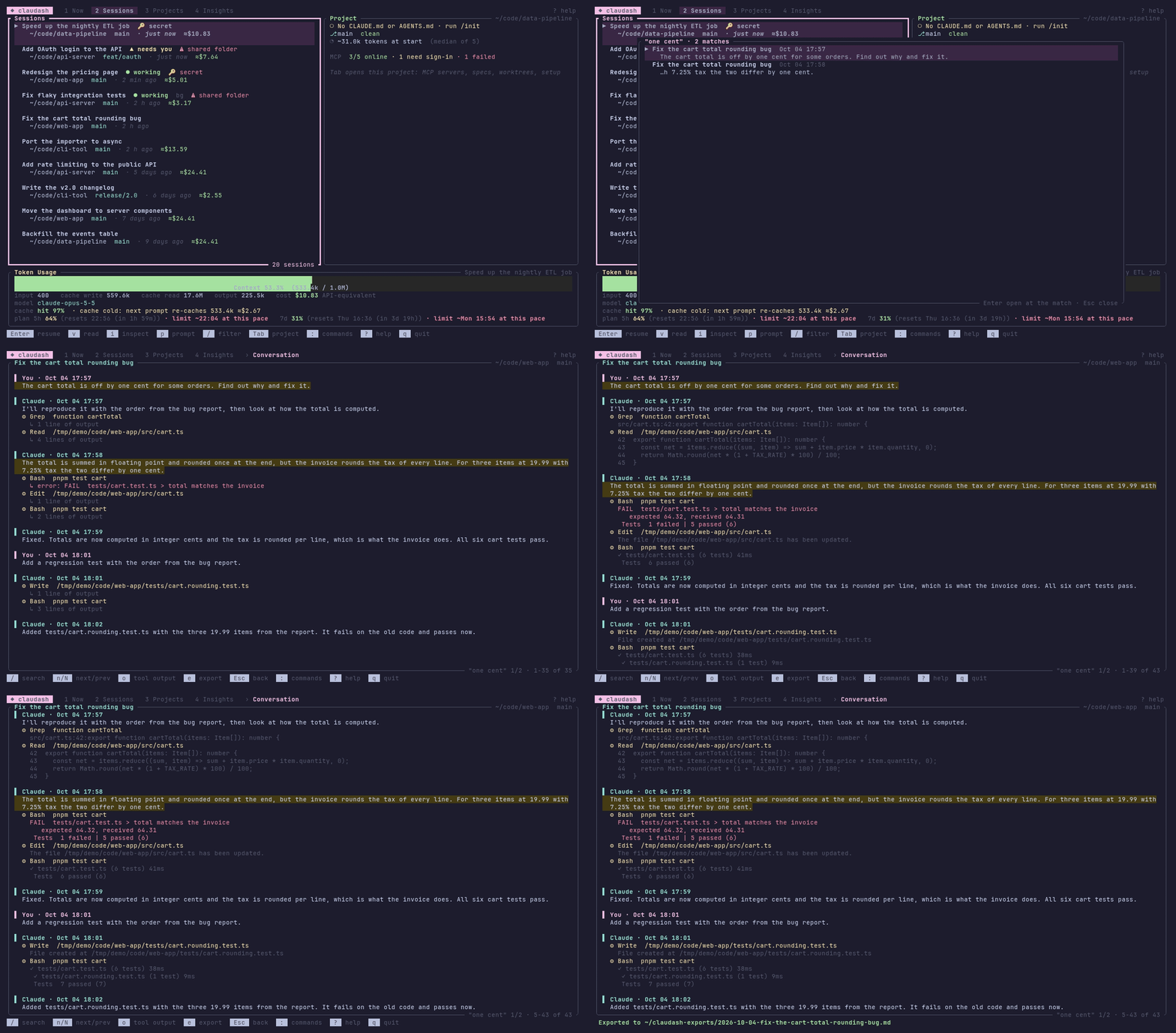
- Every session you've run, filterable, with full-text search across all of them.
- Resume one in Claude Code, or read it with its tool output and subagents.
- Send it a prompt, inspect what filled its context, tag, note, star or trash it.
3Projects
Each project on one page
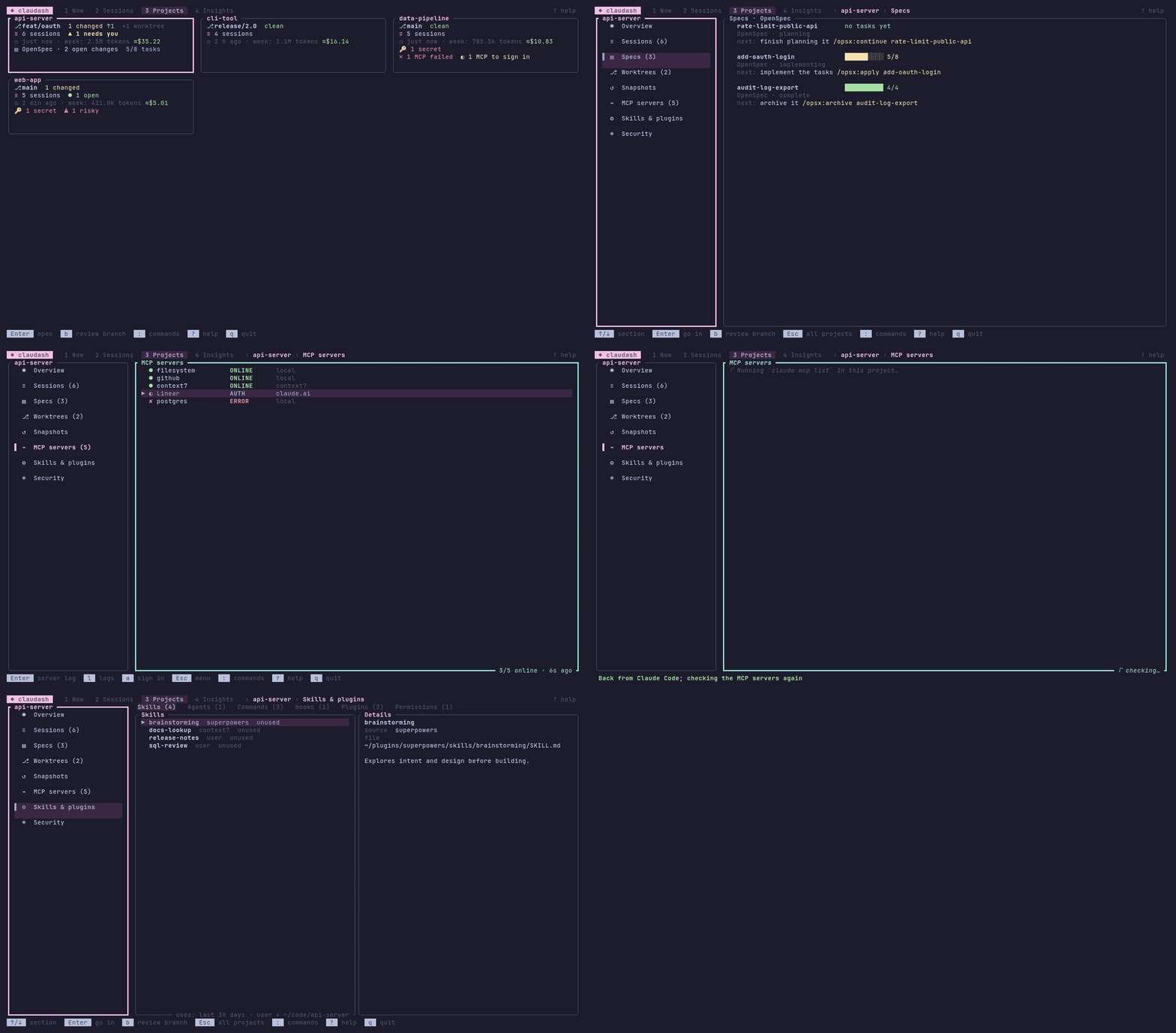
What Claude Code loads there (instruction files, skills, agents, commands, hooks, permission rules and plugins), its git state, sessions and worktrees, and a warning when two open sessions edit the same file.
aMCP servers you can fix
Which are online, which failed and why, with the server's log, and which need you to sign in. One key signs in without leaving the dashboard.
EnterSpecs and their next step
OpenSpec, spec-kit, Kiro, Task Master and GSD changes with their progress. Enter runs the next step in Claude Code.
TUndo what /rewind can't
Snapshots of a project's files before each prompt and after each reply, so changes made by Bash commands and subagents can be seen and put back.
DWorktrees you can remove
claudash says what stands in the way (a background session, a lock, uncommitted files) and asks before it deals with them. The branch is always kept.
bReview a branch
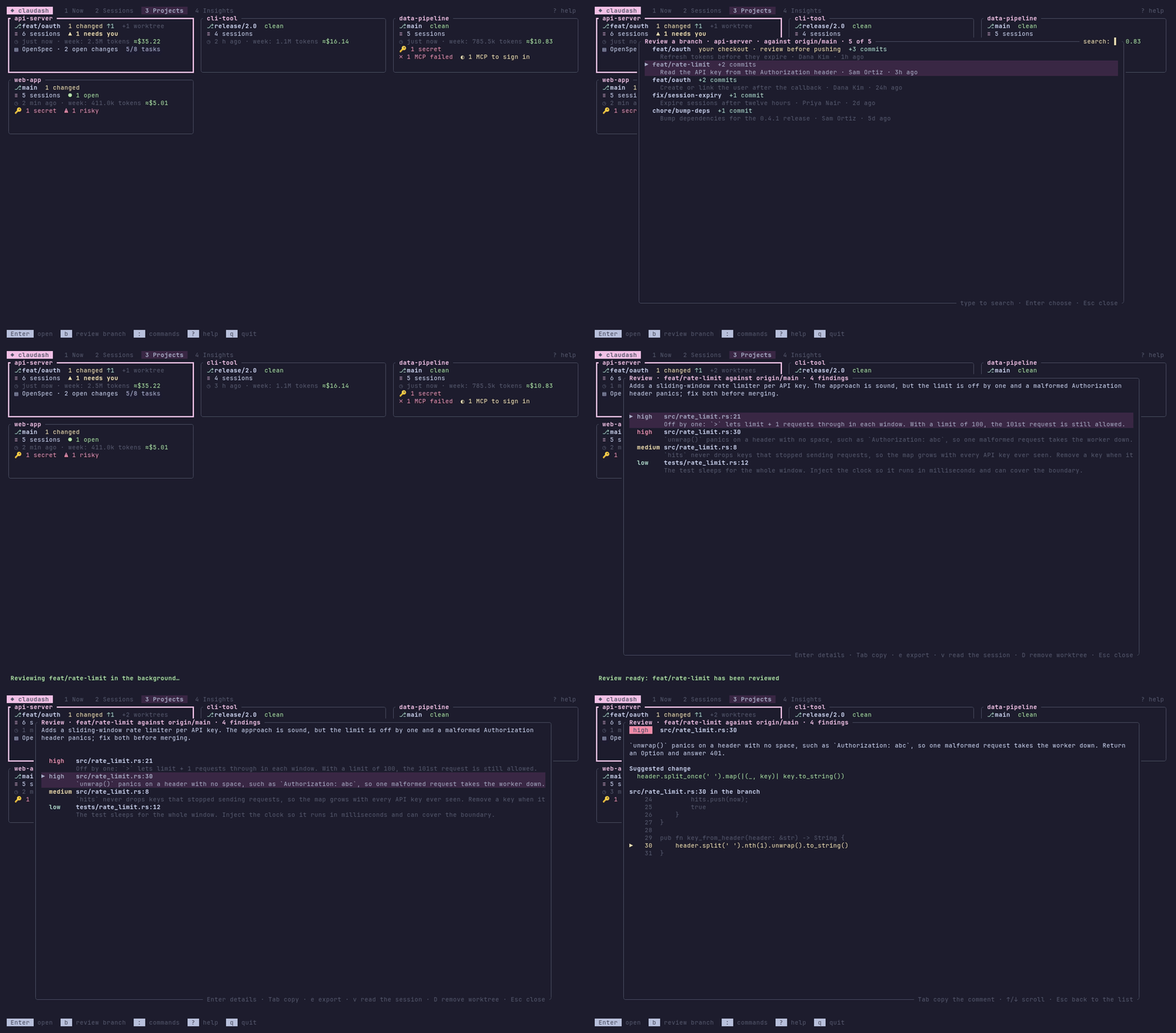
A review of any branch, in a worktree of its own
claudash fetches, checks the branch out and has Claude Code review it there: findings by file, line and severity, each with the code around it and a suggested change. Your working tree isn't touched, and several reviews, of one project or of several, run at once and wait in a list until you read them.
4Insights
What Claude left on disk
API keys and tokens left in your transcripts and prompt history, shown masked. Force pushes, curl | sh, sudo and other risky commands. Permission rules broader than you think.
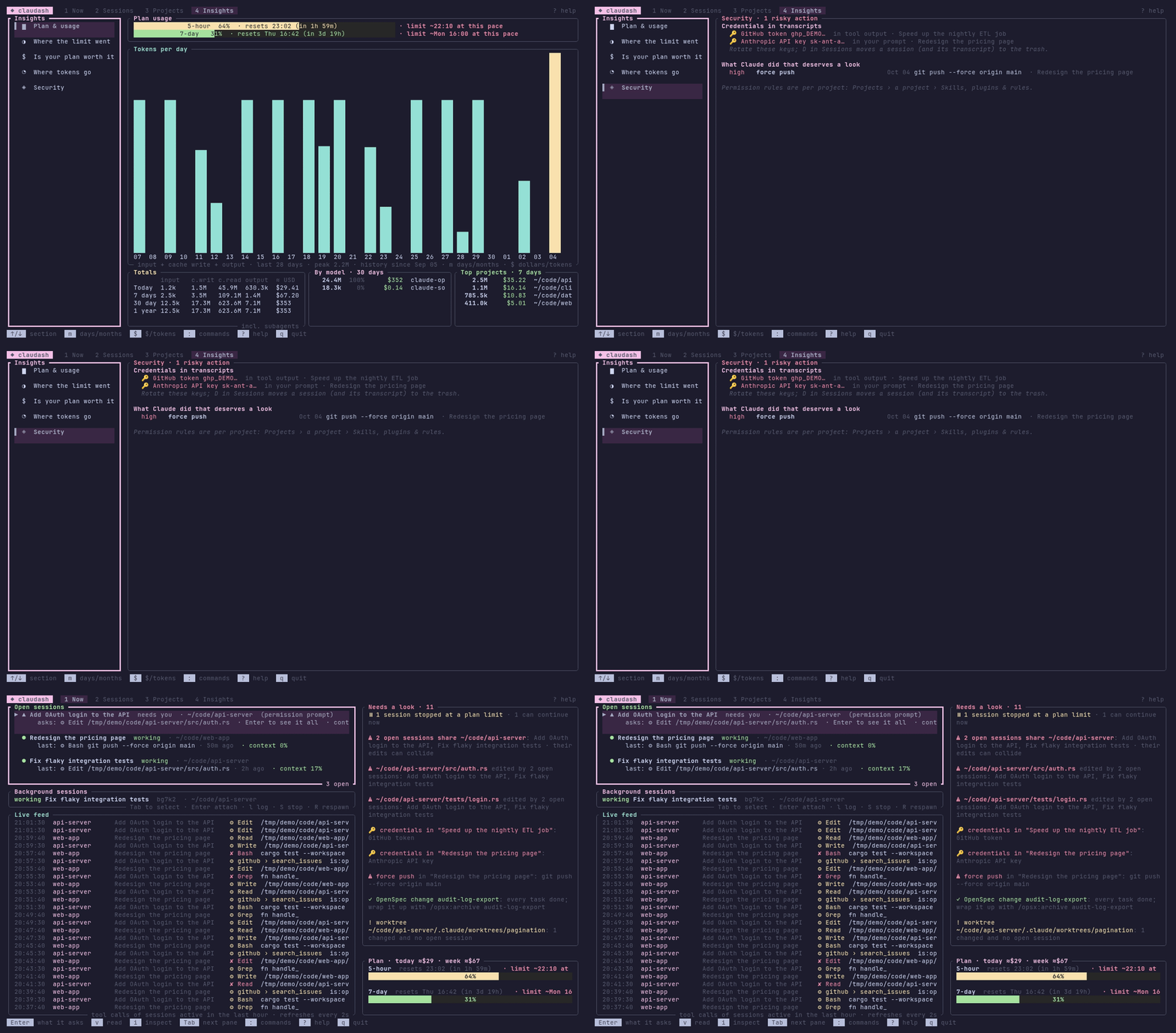
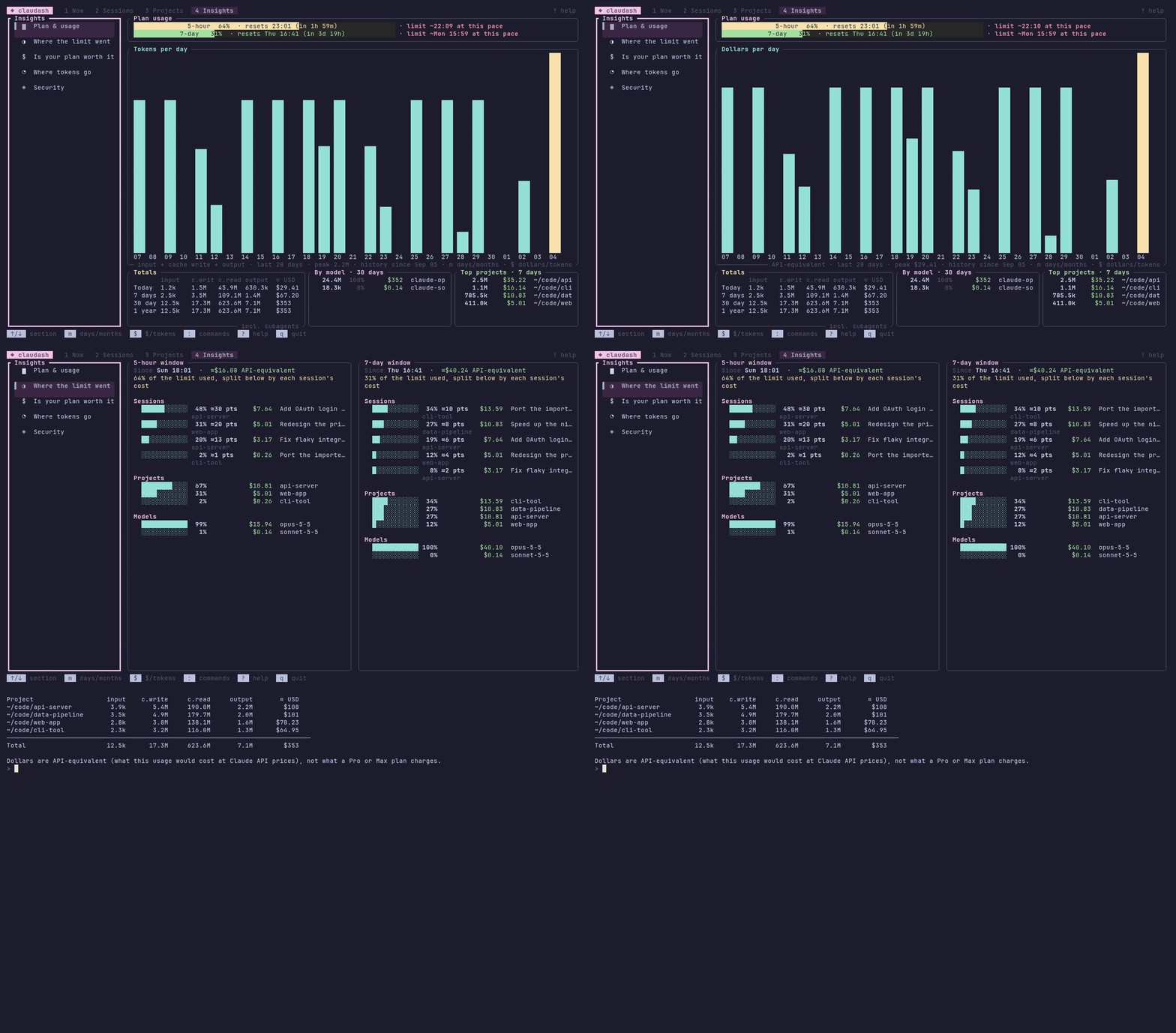
Where the limit went, and what it cost
Each session's, project's and model's part of the current 5-hour and 7-day windows, what your use would cost at API prices, and whether Pro, Max 5x, Max 20x or the API fits it.
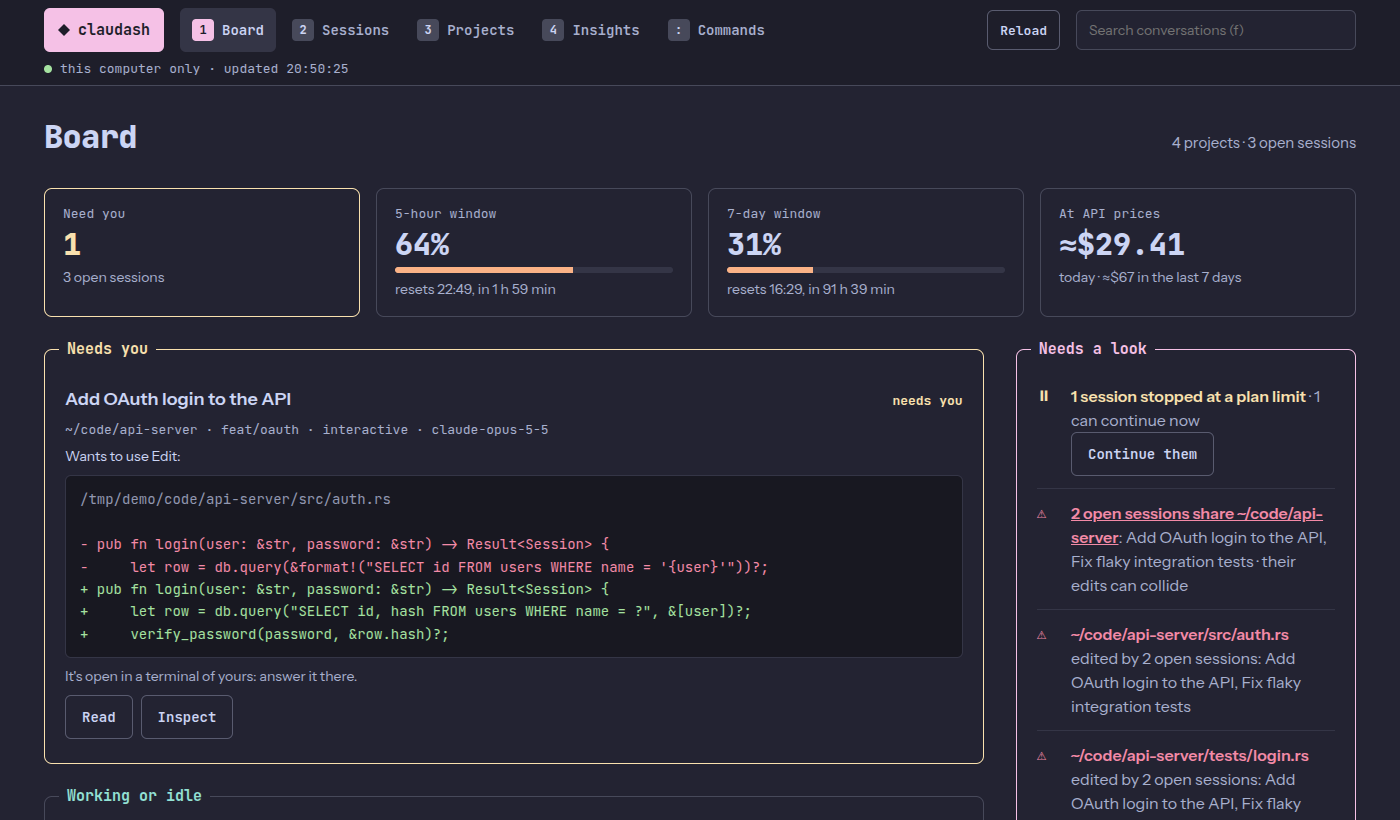
claudash serve
The same control room in your browser
Every screen, as a page to keep on screen all day. Every button does what its key does in the terminal and asks the same questions first, and a session you resume opens in a tab of your Zellij or tmux session, in a new terminal window or as a command to copy. It answers this computer only, and the API keys claudash recognises in transcripts reach it masked.
Where it fits
Other tools cover parts of this from two sides. claudash's job is a third one, and they work well together.
They start agents and keep them in panes or background sessions of their own. Several drive other coding agents too.
They report tokens and cost, across many agents, or forecast when you'll reach a limit.
The screen for the sessions you start yourself, in any terminal, and for the projects around them: MCP servers, specs, worktrees, branch reviews and what Claude Code loads.
It stays on your machine
- Reads local files, runs the
claudeCLI. No account, and no network requests of its own.claudash serveopens it as a page in your browser and answers that page on this computer only. - Asks before it changes anything.
claudash setupshows what it would change insettings.json,--applybacks the file up first and--removeundoes it. - Doesn't keep your prompts. Its hook records only the event type and time for each session, never your prompts or Claude's replies.
- Binaries you can verify. Releases carry build attestations.
$ claudash continue --wait   # continue at the limit's reset
$ claudash export <ID>       # a conversation as Markdown
$ claudash summary           # today as Markdown
$ claudash usage             # tokens and API-price dollars
$ claudash quota             # where the 5h and 7d windows went
$ claudash plan --share      # is your plan worth it, as a card
$ claudash wrapped --redact  # your week on a card
From the command line too, for scripts and status bars.
Install
Prebuilt binaries for Linux, macOS and Windows.
# macOS and Linux
$ brew install jguajardo/tap/claudash

# prebuilt, with cargo-binstall (or build it: cargo install claudash)
$ cargo binstall claudash

# installer script
$ curl --proto '=https' --tlsv1.2 -LsSf https://github.com/jguajardo/claudash/releases/latest/download/claudash-installer.sh | sh

# Windows
> powershell -c "irm https://github.com/jguajardo/claudash/releases/latest/download/claudash-installer.ps1 | iex"

# then
$ claudash setup --apply   # optional: plan usage, alerts and exact limit windows
$ claudash
$ claudash serve           # or the same as a page in your browser, on this computer only
Also a Claude Code plugin
So Claude can answer "what did this week cost?" or "which session is waiting?" by running the claudash CLI. How to add it
Questions
Is claudash made by Anthropic?
No. It's an independent, unofficial project, not affiliated with, endorsed by or supported by Anthropic.
Does it replace Claude Code?
No. Claude Code does the work in its own terminal. claudash keeps track of your sessions and projects and runs the claude CLI for you.
Does it send my code or conversations anywhere?
No. claudash makes no network requests of its own. It reads files on your machine and runs the claude CLI, which talks to Anthropic the way it always does.
Do I need tmux or Zellij?
No. claudash runs in any terminal. Inside Zellij or tmux it can also open sessions in tabs or panes of their own.
Do I need a Pro or Max plan?
Only for plan usage, because Claude Code reports it to Pro and Max subscribers only. Everything else works without one.
Which platforms does it run on?
Linux, macOS and Windows. It's developed and tested on Linux, and the test suite runs on all three. The full dashboard hasn't been tried on a Windows machine yet, so reports are welcome.
Does it work with Codex, Gemini or other agents?
No, only Claude Code. Several of the tools listed above cover other agents.
What happens when Claude Code changes its files?
The transcript format is internal to Claude Code and can change between versions. claudash reads it leniently and skips what it doesn't recognize, but an update may break some views until claudash catches up.
See all of it on one screen
brew install jguajardo/tap/claudash
macOS and Linux. Then run claudash.